Understand exposure
Keep an asset inventory alongside risks and vulnerability records. Review severity, ownership, and the information behind a finding.
Explore risks and incidentsSecurity operations & evidence
Bring risks, incidents, and compliance evidence into one accountable workspace. SecureOps helps your security and IT teams record what matters and follow the work through.
Built for authorized defensive operations.
Illustrative workspace
Selected record · Access review
Record the supporting material, identify the accountable reviewer, and retain the review decision.
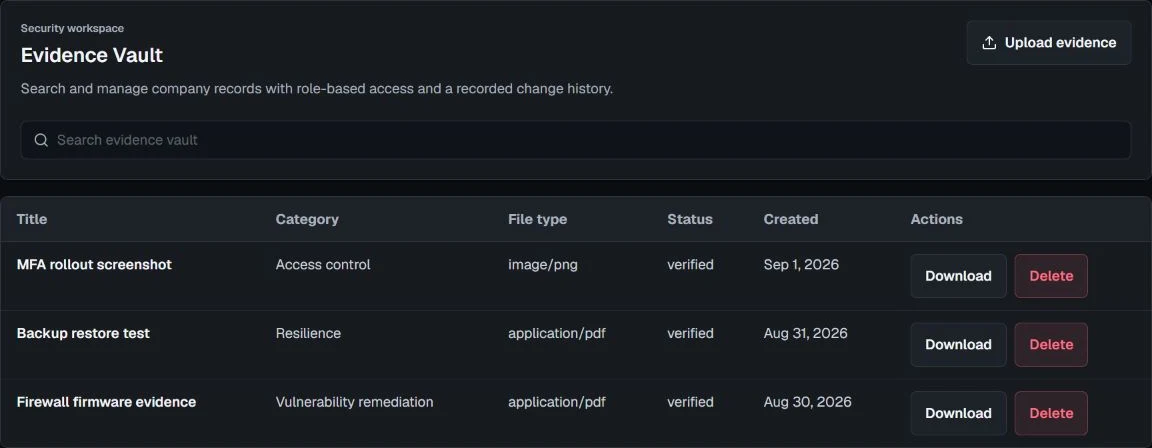
Security work crosses teams. Give each record an owner, retain its context, and make the next review easier to follow.
Keep an asset inventory alongside risks and vulnerability records. Review severity, ownership, and the information behind a finding.
Explore risks and incidentsTrack incidents and remediation with accountable owners. Keep priorities, status, and follow-up actions visible to the people doing the work.
Find your workflowOrganize evidence, control reviews, and reporting. See what needs attention before sharing an authorized report.
Explore evidence and controlsA populated dashboard is not proof of active monitoring. Manual records remain useful, while supported external sources require authorized, verified setup.
Review security and requirementsWork with assets, risks, incidents, controls, and evidence without connecting a provider.
Wazuh and signed collectors require supported configuration and account verification. An unavailable source is not represented as active protection.
Reports and AI-assisted output need human review. SecureOps does not certify compliance or guarantee security outcomes.
Explore the approved Starter and Business subscriptions, or discuss an Enterprise scope. We confirm allowances and setup requirements before purchase.
AED 1,000 / month for Starter
Compare plansNo. SecureOps helps organize operations and evidence. Certification and legal compliance require the appropriate independent assessment and professional advice.
No. Monitoring depends on supported integrations, customer authorization, and verified configuration. An unconnected source is not represented as active monitoring.
Request a walkthrough to confirm your workflows and onboarding path. Workspace access is approval-based; a request does not activate a paid subscription.